Deep Sleep Mode
Materials
AMB82-mini x 1
Optional: Push button x 1
Optional: Register 220 ohms x 1
Example
In this example, the development board will demo the non retention Deep Sleep Mode for power save. There are 3 wake-up sources for Deep Sleep Mode which are: AON Timer, AON GPIO, and RTC. The system will count down 5s then go to Deep Sleep mode. Upon the wake-up source being triggered, the system will be reboot and wake up again.
The module and board power consumption report under Deep Sleep mode are listed in these two tables below.
RTL8735B module power consumption test results
Wake-up source |
Module power consumption (uA) |
|---|---|
Deep Sleep Mode (measure at 3V3) |
|
AON timer |
32.78 |
AON GPIO |
40.98 |
RTC |
41.08 |
AMB82 MINI board Power Consumption
Wake-up source |
Development board power consumption Approximate measurement (mA) Voltage source : pin V_USB(5V) |
Development board power consumption Approximate measurement (mA) Voltage source : pin V_USB(3V) |
Development board power consumption Approximate measurement (mA) Voltage source : USB CH340(MicroUSB) |
Development board power consumption Approximate measurement (mA) Voltage source : USB OTG |
|||||
|---|---|---|---|---|---|---|---|---|---|
Normal Mode |
DeepSleep Mode |
Normal Mode |
DeepSleep Mode |
Normal Mode |
DeepSleep Mode |
Normal Mode |
DeepSleep Mode |
||
AON timer |
57.42 |
3.31 |
84.14 |
5.18 |
60.65 |
5.67 |
57.42 |
3.31 |
|
AON GPIO |
57.42 |
3.31 |
84.14 |
5.18 |
60.65 |
5.67 |
57.42 |
3.31 |
|
RTC |
57.42 |
3.31 |
84.14 |
5.18 |
60.65 |
5.67 |
57.42 |
3.31 |
|
Note
The USB‑UART bridge (CH340) and indicator LEDs (D1, D2, D3 with resistors R85, R101) were originally included to provide a better user experience. However, to achieve improved power consumption results, we eliminated these non‑essential current paths so that the measured values reflect only the SoC and essential circuitry.
Wake-up source |
Development board power consumption Approximate measurement after removing CH340 and LEDs (mA) Voltage source : pin V_USB(5V) |
Development board power consumption Approximate measurement after removing CH340 and LEDs (mA) Voltage source : pin V_USB(3V) |
Development board power consumption Approximate measurement after removing CH340 and LEDs (mA) Voltage source : USB CH340(MicroUSB) |
Development board power consumption Approximate measurement after removing CH340 and LEDs (mA) Voltage source : USB OTG |
|||||
|---|---|---|---|---|---|---|---|---|---|
Normal Mode |
DeepSleep Mode |
Normal Mode |
DeepSleep Mode |
Normal Mode |
DeepSleep Mode |
Normal Mode |
DeepSleep Mode |
||
AON timer |
53 |
0.2 |
81 |
0.9 |
54 |
0.2 |
55 |
0.2 |
|
AON GPIO |
53 |
0.2 |
81 |
0.9 |
54 |
0.2 |
55 |
0.2 |
|
RTC |
53 |
0.2 |
81 |
0.9 |
54 |
0.2 |
55 |
0.2 |
|
Open example in File -> Examples -> AmebaPowerMode -> DeepSleepMode
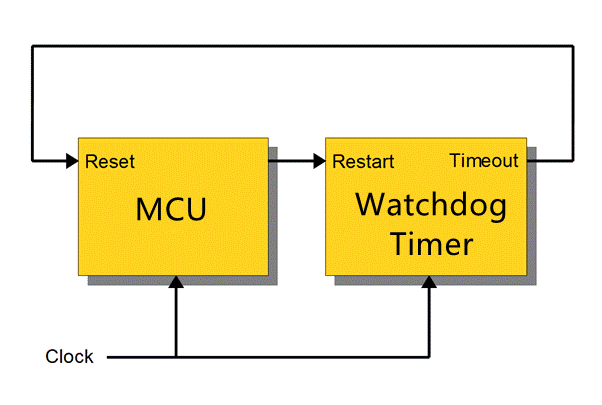
Next is setting up the system and entering the power mode. Please refer to the following steps for entering Deep Sleep mode.
Use the USE_MULTIPLE_WAKEUP_SOURCES configuration flag to set for multiple or single wakeup sources.
Multiple Wake-up Sources
You can use bitwise OR to setup multiple wakeup sources for MULTI_WAKEUP_SOURCE
DS_AON_TIMER (BIT0) - AON Timer wakeupDS_AON_GPIO (BIT1) - AON GPIO wakeupDS_RTC (BIT2) - RTC wakeupDS_COMP (BIT3) - COMP wakeupFor AON timer, please set CLOCK value to 0 or 1, 0:100kHz, 1:4MHz, SLEEP_DURATION unit is in seconds.
For AON GPIO, please set the AON_GPIO_PIN value to 21 or 22.
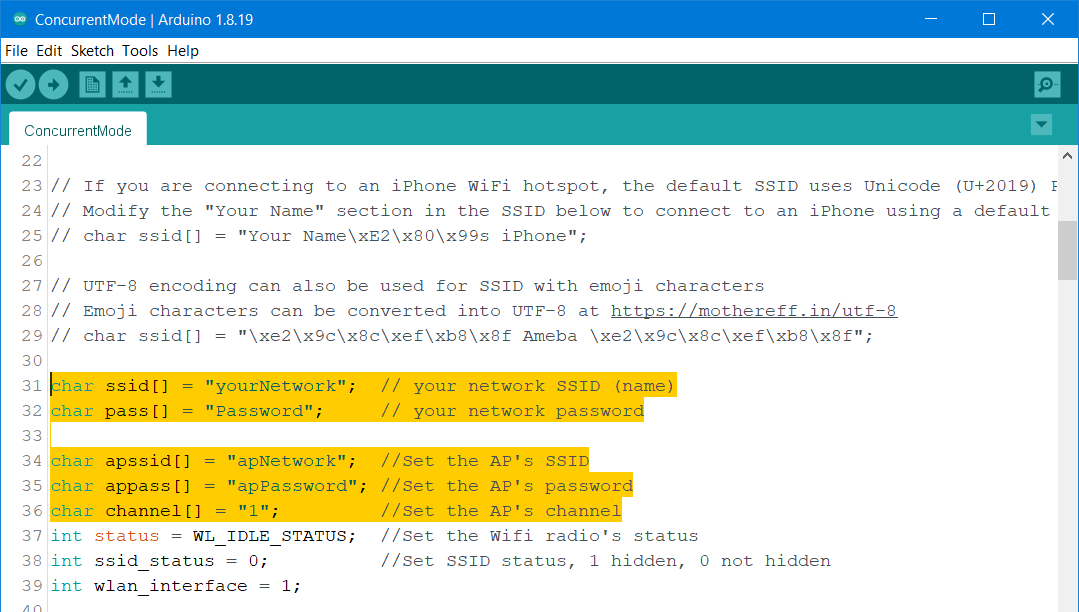
For RTC, please set the value for ALARM_DAY, ALARM_HOUR, ALARM_MIN, or ALARM_SEC. All alarm values set the duration of RTC wake-up. The range is “1day, 0h, 0m, 0s” to “365day, 23h, 59min, 59s”.
Single Wake-up Sources